Someone types invoices all day
Every PDF gets opened, read and typed into Excel or the ERP by hand, and the backlog grows at month end.
I build invoice processing automation that reads your supplier invoices, receipts and statements, pulls out the fields you need and puts them into a clean table or your accounting system. When the AI is unsure about a value, the document goes to a review queue and a person checks it before it reaches your books. Tell me what arrives and where the data has to land, and I build around that.
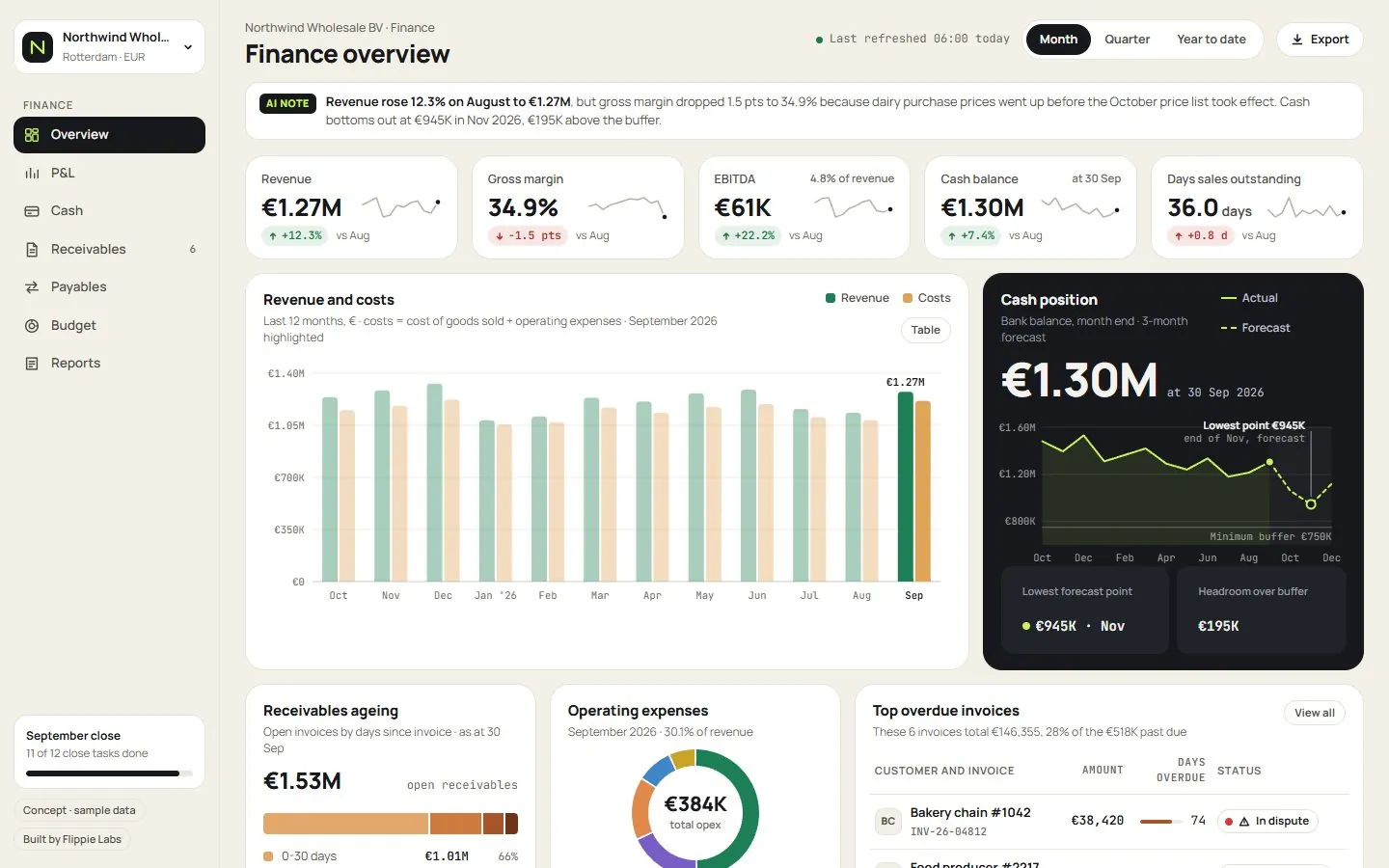 A concept CFO dashboard for a fictional food-ingredients wholesaler on sample data, with receivables ageing and overdue invoices, the kind of view extracted invoice data feeds.
Every PDF gets opened, read and typed into Excel or the ERP by hand, and the backlog grows at month end.
We tested an extraction tool and spent more time checking and fixing its output than we saved.
Missing PO numbers, totals that don't match, duplicates, the wrong legal entity. The easy invoices were never the problem.
A starting point, never a fixed package: describe how you want it and I build it to match.
Reading a clean invoice is the easy part for current OCR and AI models. The trouble starts with scanned copies, multi-page line items, credit notes and suppliers who move the total to a different corner every quarter. A single model reading a PDF will get most of those right and a few of them wrong, and you won't know which few. That is why some teams find that checking a generic tool's output takes longer than typing.
So the extraction is only the first step. Each document then goes through rules that do not depend on AI at all: do the lines add up, is the VAT rate plausible for that supplier, has this invoice number been seen before, does it match an open purchase order. Documents that pass go straight through. The rest go to the review queue with the reason attached, which turns a full day of typing into a short list of decisions.
Invoices are where most teams start, but the same data entry automation handles receipts, bank statements, delivery notes and order confirmations. If all you need is to extract data from PDF to Excel, the output can simply be a clean sheet in the column order your team already imports. EU e-invoicing rules will turn more supplier invoices into structured data over the coming years, starting in countries such as Belgium and France. Receipts, statements and invoices from suppliers outside those systems will keep arriving as PDFs for a long time, so I set the service up around your messy documents in general rather than one format.
Invoices carry names, bank details and prices you would rather not spread around. I'm based in the Netherlands and sign an NDA and DPA on request. Processing uses EU regions where the provider offers them, or runs inside your own Azure tenant if you prefer, on API terms that exclude training on your documents where the provider offers that. You decide how long originals are kept.
Share a batch of real invoices covering your common layouts. Anonymised copies are fine, and I sign an NDA first if you want one.
I run extraction on those samples and show you field by field what came out right, so you judge it before paying for a build.
The pipeline runs next to your manual process for a period, and we compare results without anything touching your books.
It goes live with the review queue in place, and rules are tightened as new suppliers and layouts appear.
The quote depends on how many document types and layouts you receive, your monthly volume and where the data has to land: a spreadsheet, a database or your accounting system.
The client reviews on this site are about data and dashboard work. For this service, here is work you can open and judge yourself, each labelled for what it is.
A monthly pack for a made-up retailer, showing the layout, the data checks and the summary style. On that page the summary is generated in your browser from the sample numbers, not by a live AI model.
Open the exampleA stock analysis platform I designed, built and run myself: the interface, the web app and the data pipelines behind it, with scheduled refreshes.
Live dashboards for fictional companies, built by me on sample data to show what a finished build looks and feels like.
Browse the examplesAnything else? Ask me directly, I reply within a few hours on working days.
Invoice processing automation means software reads incoming invoices, extracts the supplier, dates, amounts, VAT and line items, checks them and passes them on, so nobody types them in by hand. In the setup I build, a document that fails a check or comes back with low confidence goes to a person for review instead of being guessed. The rest goes straight to Excel, a database or your accounting software.
Accuracy depends mostly on your documents, which is why I measure it on your own invoices before you commit. Clean digital PDFs from regular suppliers extract very reliably; poor scans and unusual layouts less so. The design does not rely on the AI being perfect: validation rules catch totals that don't add up, duplicates and unknown suppliers, and those documents go to a person instead of into your books.
Yes, the extraction reads each invoice by its content, so it works across suppliers without a template per layout. Line items, quantities, unit prices and VAT per line can all be captured and mapped to your own cost codes. New suppliers usually work from the first invoice, and any layout that keeps causing review cases gets a specific rule added to the pipeline.
They go to a review queue with the reason attached, and nothing is guessed into your accounting system. The queue shows the original PDF next to the extracted values, so a person can correct a field in seconds and approve it. The exception view also shows which suppliers cause most cases, which is often worth a polite email asking them to change their invoice format.
It can be set up to meet GDPR, and that is how I build it. I'm based in the Netherlands and sign an NDA and DPA on request before seeing documents. Processing uses EU regions where the provider offers them, or runs inside your own Azure tenant, on terms that exclude model training where the provider offers that. You set how long the original files are kept.
Yes, the pipeline is built around your documents, your fields and your system. Describe in your own words what comes in, what you need out of it and where it should go, and I match that as closely as the documents allow. If you want approval by cost centre, a specific export format or two legal entities kept apart, that becomes part of the build.
In most cases yes, either through the software's API or through the import file it already accepts. Exact Online, Xero, QuickBooks and most ERPs offer one of the two. Where neither exists, the output is a clean Excel or CSV file in the column order your team imports today. I check the route for your system before quoting.
Probably yes, for a few years at least. E-invoicing mandates will turn more supplier invoices into structured data, but rollout differs per country and many suppliers outside the EU are not covered. Receipts, bank statements, delivery notes and contracts will keep arriving as PDFs. The pipeline can also take structured e-invoices as input, so the same review queue and outputs keep working as the mix shifts.
I build automated reporting that puts your monthly or weekly pack together on its own: figures pulled from your systems, checked, charted and sent with a short commentary drafted by AI.
from €1,500 · Learn more Data & dashboardsExcel automation for the reports you rebuild every weekExcel automation takes the copy-paste out of the reports your team rebuilds every week or month, without asking anyone to stop using Excel.
from €250 · Learn more Data & dashboardsPower BI consulting services from one certified specialistMy Power BI consulting services cover the whole job for B2B teams in the US and Europe: the data model, the DAX, the report design and the handover.
from €300 · Learn more